

If you’ve built a bot, it’s time to show it to the world, without getting lost in DevOps. Now that you have created your AI chatbot, the next step is to find the right hosting. How do you put it online so others can actually use it?

From my experience working with creators and early-stage product builders, most people get stuck not in building the bot, but in hosting it.
The good news? Hosting a chatbot in 2025 is much easier than it sounds. Here’s a beginner-friendly breakdown — no jargon, just clear steps and trusted platforms
Step 1: Know What You’re Hosting
There are generally two kinds of chatbot projects:
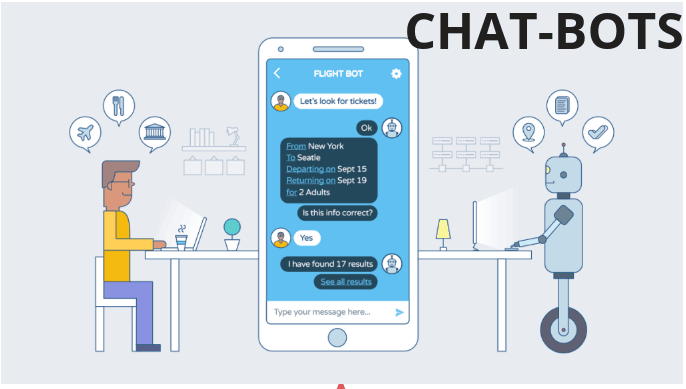
- 1. Frontend-only bots : Chat UI with no backend (like widget embedded on a website)
- 2. Bots with a backend : Uses Node.js, Python, or a tool like Botpress, Rasa, etc.
If your bot runs locally and connects to any GPT’s API, you will likely need backend hosting.
Step 2: Choose the Right Hosting Type
Here are your best (and easiest) options that are tested and beginner-approved. 1. Render :– Best for Node.js or Python-based
Chatbots
If your bot uses OpenAI’s API and is coded in Python or Node.js, Render is one of the easiest ways to host it.
Why it works:
- One-click deploy from GitHub
- ∙ Free tier available for small bots
- ∙ Supports background workers and web services
- ∙ Great for both frontend + backend apps
Most chatbot creators start here because Render handles the hard stuff, like SSL, restarts, and server setup, so you can focus on the bot.
Replit :– Best for Beginners Who Don’t Want to Leave the Browser
If you coded your bot in Python or JavaScript and want to host it fast, Replit makes it super easy.
Why it works:
- ∙ Build, run, and host from your browser
- ∙ Comes with free hosting and HTTPS
- ∙ Ideal for testing and sharing MVPs
- ∙ AI code completion (Ghostwriter) built in
Perfect for small bots, demo projects, portfolio work, or learners using OpenAI’s API.
Vercel or Netlify :- Best for Frontend-only Bots (like Chat Widgets)
If your chatbot is just a frontend widget or embedded script that talks to an external API, you can use static site hosting platforms like Vercel or Netlify.
Why it works:
- ∙ Drag-and-drop or GitHub deploys
- ∙ Free SSL and custom domains
- ∙ Fast, global CDN — your bot loads instantly
- ∙ Works great with HTML, React, or static UIs
From my experience, this is the fastest way to share a bot interface online without setting up a backend.
Botpress Cloud :- No-code + Hosting Included
If you’re using Botpress, their cloud platform includes built-in hosting, so no deployment is needed.
Why it works:
- ∙ Fully visual bot builder
- ∙ Works with OpenAI, Google Bard, RAG, and more
- ∙ Share your bot via link instantly
- ∙ Can embed directly into websites or apps
Best for, non-coders who want to build smart bots with zero infrastructure setup.
Glitch – For Quick Demos and Edits in the Browser
Glitch is a beginner-friendly coding + hosting platform, perfect for quick experiments and prototyping.
Why it works:
- ∙ Edit code live in the browser
- ∙ Shareable link immediately
- ∙ Great for community or internal tools
This is not ideal for scaling, but perfect for showing what your chatbot can do. Can use it for demo purposes.
Hosting Tips for Chatbot Creators
From my experience, here’s what to focus on as a beginner:
| Your Bot Type | Best Hosting Option |
| Node.js / Python (API-based) | Render or Railway |
| Visual bots (Botpress, Voiceflow) | Use built-in cloud hosting |
| Chat widget or static UI | Vercel or Netlify |
| Full code-in-browser workflow | Replit or Glitch |
When you select the hosting plan always check for the following pointers and make sure you have them in place.
- ∙ HTTPS support (SSL)
- ∙ Free tier limits (bandwidth, uptime)
- ∙ Easy way to update code or content
- ∙ Uptime — especially if it’s public-facing
Building the chatbot is exciting, but hosting is what makes it real.
